When you edit document (Pages, Numbers, …) in macOS, it will automatically save your document.
How to disable autosave documents in macOS
- Goto System Settings…
- CLick Desktop & Dock
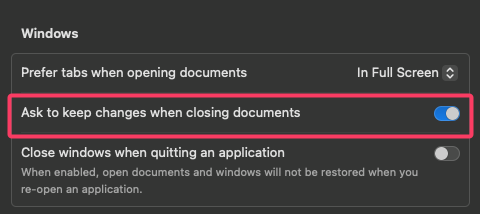
- Scroll down to Windows section
- Toggle “Ask to keep changes when closing documents” as need.